Category: General

Business, productivity, AI tools, and app-related posts.

  • How to Finish What You Start: 7 Practical Habits to Overcome Procrastination

    KACO DIGITAL | PRACTICAL WISDOM & PERSONAL GROWTH

    There is a notebook on your shelf with a brilliant business idea on page one. There is a course you started with excitement but never completed. Perhaps there is a book you have been meaning to write, a budget you promised to follow or a new habit that lasted only three days.

    Starting something is often exciting. Finishing requires a different kind of strength: deciding what matters, making room for it and returning to it even when the excitement fades. If you have a collection of unfinished goals, this article will help you choose a realistic next step without guilt or impossible promises.

    The Big Idea

    Starting reveals your intention. Consistency reveals your commitment. Finishing demonstrates your stewardship.

    But not every project should be finished. Some need to be simplified, paused or deliberately abandoned because your circumstances or priorities have changed. The goal is not to complete everything. It is to finish what still matters.

    1. Discover why you keep stopping

    Before you call yourself lazy, investigate the real obstacle. Maybe the goal is too vague, the next step is unclear, the task is emotionally difficult or your schedule is genuinely overloaded.

    REAL-LIFE EXAMPLE

    Example: โ€œWrite my bookโ€ feels overwhelming. โ€œDraft the first 300 words of chapter one on Tuesdayโ€ is a task you can begin.

    TRY THIS TODAY

    Write down one unfinished project and finish this sentence: โ€œI stopped because ______.โ€ Identify a practical change that addresses the actual obstacle.

    2. Choose one priority instead of chasing every idea

    A long list of worthy goals can still prevent progress. Choosing a priority does not mean the other ideas are bad; it means they are not all equally urgent today.

    REAL-LIFE EXAMPLE

    Example: A creator with three unfinished ebooks, a half-built website and five course ideas decides to complete one ebook first because its outline is already prepared.

    TRY THIS TODAY

    Select one project with a clear purpose, realistic scope and enough importance to justify your time this week. Put the others on a later list.

    3. Turn the big goal into the next visible action

    A project is a collection of tasks, not a single action. When the next step is hidden, it is easy to procrastinate.

    REAL-LIFE EXAMPLE

    Example: Replace โ€œLaunch my websiteโ€ with โ€œWrite the home-page headline,โ€ then โ€œAdd the first product image,โ€ then โ€œTest the contact form.โ€

    TRY THIS TODAY

    Define a next action you could finish in 15 to 30 minutes. If it still feels too big, split it again.

    4. Replace perfectionism with useful progress

    Trying to make the first attempt flawless can prevent you from producing anything. A workable first draft creates something you can improve.

    REAL-LIFE EXAMPLE

    Example: Instead of rewriting the opening paragraph of a devotional ten times, draft the full reflection first, then return to edit.

    TRY THIS TODAY

    Set two standards: โ€œgood enough for a first draftโ€ and โ€œready for publication.โ€ Never confuse them. Important facts, safety and accuracy must still be checked before publishing.

    5. Protect a small block of focused time

    Progress often comes from consistent, protected work rather than occasional bursts of enthusiasm. A short session is especially useful when life is busy.

    REAL-LIFE EXAMPLE

    Example: A parent sets aside 15 minutes after breakfast to work on a course lesson, puts the phone on silent and closes unrelated tabs.

    TRY THIS TODAY

    Choose a repeatable time, place and task. If you miss a session, resume at the next available opportunity rather than declaring the week a failure.

    6. Build accountability without depending on motivation

    Motivation changes. A visible plan, supportive person and simple progress record make it easier to return to your goal.

    REAL-LIFE EXAMPLE

    Example: Two friends share one weekly progress update: what they completed, what blocked them and the next task.

    TRY THIS TODAY

    Tell a trustworthy person your specific next milestone, or keep a private checklist. Use accountability for encouragement and honest feedback, not shame.

    7. Define what finished looks likeโ€”and review your work

    Some projects never end because the finish line keeps moving. Define a deliverable and the checks it must pass.

    REAL-LIFE EXAMPLE

    Example: โ€œFinish my ebookโ€ becomes โ€œComplete ten chapters, proofread, verify quotations, format the PDF and upload the final file.โ€

    TRY THIS TODAY

    Write a one-sentence definition of done. Review the completed work, celebrate progress appropriately and decide what you learned for your next project.

    Tool 1: The Unfinished Projects Audit โ€” Five Minutes

    List your unfinished projects, then make an intentional decision about each one. You do not need to finish an outdated goal simply because you once started it.

    COPY THIS MINI WORKSHEET

    โ˜ Project name: __________________________

    โ˜ Why it mattered when I started: __________________________

    โ˜ Does it still support my current priorities? Yes / No / Unsure

    โ˜ What is blocking progress? __________________________

    โ˜ My decision: Finish / Simplify / Pause / Let go

    โ˜ If finishing: My next 15-minute action is __________________________

    Selection rule: Choose one active project to work on this week. If it requires money, specialist knowledge or another person’s approval, identify the safe preparatory step you can take now.

    Tool 2: The 15-Minute Progress Method

    This is a practical way to get moving when a task feels intimidating. It will not finish every project in fifteen minutes, but it can help you build momentum.

    Minute 0โ€“2: Decide. Write one clear outcome for this session. Example: draft five bullet points for a chapter.

    Minute 2โ€“12: Focus. Work on that outcome only. Close unrelated apps and avoid editing yesterday’s work unless that is today’s task.

    Minute 12โ€“15: Capture progress. Save your work, note what you completed and write the next action so tomorrow’s session starts easily.

    Small but important: If you have only five minutes, do five. If you have more time and the energy to continue, do more. The method is a starting structure, not a rigid rule.

    Tool 3: The 7-Day Finish What You Start Challenge

    Choose one manageable milestone that can realistically be completed within seven days. For a large project, your milestone might be one finished chapter, not the entire book.

    โ˜ Day 1: Choose one project and write why it matters.

    โ˜ Day 2: Define a realistic finish line for this week’s milestone.

    โ˜ Day 3: Break the milestone into small tasks and complete the first.

    โ˜ Day 4: Complete a 15-minute focus session; record your progress.

    โ˜ Day 5: Address your biggest obstacle: simplify, ask for help or adjust your plan.

    โ˜ Day 6: Finish the remaining work and check its quality.

    โ˜ Day 7: Review what you completed, thank God for progress and plan the next milestone.

    My milestone: __________________________
    My deadline: __________________________
    My next action: __________________________

    A Christian Perspective on Finishing Well

    In Luke 14:28โ€“30, Jesus uses the example of a builder considering the cost before beginning a tower. The passage belongs to a wider teaching about the cost of discipleship; it also offers a useful illustration of planning before making commitments. Proverbs 21:5 commends diligent planning, while Ecclesiastes 9:10 encourages wholehearted effort in the work before us.

    These Scriptures are not a command to work without rest or to persist with every idea forever. Faithful stewardship also means recognising limitations, seeking wisdom and making responsible choices. Sometimes finishing means completing the task; sometimes it means bringing an unwise commitment to a thoughtful close.

    Kingdom Reflection

    An unfinished project is not proof that your future is unfinished. You can begin again with wisdom, one honest decision and one practical step.

    Your challenge: Choose the project that still matters most. Give it fifteen focused minutes today. Then write down the next step. Small, faithful action is better than a perfect plan that never begins.

    A Prayer for Focus and Faithfulness

    Heavenly Father, thank You for the ideas, abilities and opportunities You have given me. Grant me wisdom to choose what matters, courage to begin again and discipline to make steady progress. Help me recognise when to persevere, when to seek help and when to release what no longer serves a good purpose. May my work be honest, useful and a blessing to others. In Jesus’ name, Amen.

    A FREE GIFT FOR YOUR FAITH JOURNEY

    Build Your Daily Habit of Faith and Courage

    As you practise consistency in your goals, strengthen your spiritual routine too. Explore our FREE 7-Day Faith & Courage Devotional + Prayer Generator App for daily encouragement, reflection and prayer support.

    GET THE FREE DEVOTIONAL & PRAYER GENERATOR APP โ†’

    KACO FAMILY โ€” Loving God โ€ข Serving People โ€ข Changing Lives.

    Nothing Broken. Nothing Missing. Lacking Nothing.
    Be blessed, be the best.

  • How to Build Your First AI App Without Coding Experience

    How to Build Your First AI App Without Coding Experience

    For years, building an app sounded like something reserved for programmers, technology companies and people with large development budgets. That picture is changing quickly.

    Today, ordinary business owners, creators, educators and professionals can use artificial intelligence to turn a useful idea into a working digital tool. You do not need to begin with complicated code. You begin with a real problem, a clear outcome and a conversation.

    Start with the problem, not the technology

    A common beginner mistake is trying to invent something enormous. Your first app does not need to compete with a global platform. It only needs to make one repeated task easier.

    Look at the work you already do. Is there a calculation you repeat every week? A decision you make using the same questions? Information you regularly organise? A process that customers find confusing?

    These small frustrations are often strong app ideas because they already have a purpose. A useful first project could help someone compare options, estimate a cost, organise a plan, track a simple goal or prepare for a conversation.

    Your real role is to provide direction

    AI can produce the technical parts, but it still needs clear leadership. Think of yourself as the director of the project. You explain who the app is for, what information it should accept, what result it should provide and how the experience should feel.

    You then review what the AI creates and give simple feedback:

    • โ€œMake the instructions easier to understand.โ€
    • โ€œAdd a reset button.โ€
    • โ€œMake this work properly on a mobile phone.โ€
    • โ€œExplain the result in plain English.โ€
    • โ€œCheck every button and calculation, then repair anything that is not working.โ€

    This is why clarity matters more than technical language. When your first instruction is vague, the result will usually be vague. When the instruction explains the user, purpose, inputs, results and important boundaries, the AI has a much stronger foundation.

    One valuable prompt you can try today

    Copy the prompt below into an AI assistant. It creates a small decision-making tool that you can test and improve through conversation.

    Act as an experienced app builder who explains everything in plain English. Build a simple, attractive, mobile-friendly app called โ€œSmart Choice Helper.โ€ The user should be able to enter up to three options they are considering. For each option, let them give a score from 1 to 10 for value, affordability, ease and urgency. Calculate the total score, clearly show which option ranks highest and explain that the result is a guide rather than a final decision. Add a reset button and helpful instructions. Create it as one self-contained HTML file that can work offline in a browser. Before giving me the finished file, test every input, button and calculation for errors. Do not require a login, database or paid service.

    After the AI creates it, do not worry if the first version is not perfect. Open it, click every button and try unusual entries. Then describe what happened in everyday language and ask the AI to correct it.

    Building is only the beginning

    A working screen is not automatically a useful app. Good app creation also involves testing, improving instructions, checking calculations, making the design easy to use and protecting the user from confusing results.

    If an app handles sensitive information, payments, medical matters, legal decisions or important financial choices, professional review and stronger security may also be necessary. Start with a low-risk project while you learn how to direct, test and improve AI-generated work responsibly.

    Your first small app can change how you see AI

    The biggest breakthrough often comes when you move from asking AI for information to using it to create something that works. Even a small tool can save time, improve a process or help another person make a clearer decision.

    You do not need to know everything before you begin. Choose one manageable problem, describe the result clearly and improve the project one conversation at a time.

    Ready to build your first AI app?

    KACO Vibe Coding Workflow Made Simple is a practical beginner course designed for people with no coding experience. It guides you from idea to a working AI-assisted app using clear language, practical exercises, knowledge checks and a project workbook.

    Explore the KACO Vibe Coding Course

    One-time payment: $57. No upsells.

    Small ideas can become useful tools. The important thing is to start.

  • How to Create a Digital Product People Will Actually Pay For

    How to Create a Digital Product People Will Actually Pay For

    Creating a digital product has never been easier. With modern AI tools, design platforms and online marketplaces, almost anyone can create an ebook, template, course, prompt system, planner or software tool.

    But easy creation does not guarantee sales.

    Many digital products fail because their creators begin with the product instead of the problem. They spend days designing something attractive without first confirming that anyone genuinely needs it.

    A successful digital product begins with a simple question:

    What problem can I help a specific group of people solve?

    What Is a Digital Product?

    A digital product is something customers can purchase, download or access electronically.

    Examples include:

    • Ebooks and practical guides
    • Online courses and workshops
    • Templates and worksheets
    • Prompt packs and prompt systems
    • Digital planners and journals
    • Membership resources
    • Printable materials
    • Checklists and workbooks
    • Offline HTML applications
    • AI-powered tools
    • Business systems and automation kits

    Unlike physical products, digital products do not require traditional manufacturing, packaging or shipping. Once created, the same product can usually be delivered to many customers automatically.

    However, the strongest advantage is not simply that digital products are inexpensive to distribute. It is that they can package knowledge, experience and practical solutions into something people can use repeatedly.

    Step 1: Start With a Real Problem

    Do not begin by asking, โ€œWhat can I create?โ€

    Begin by asking:

    • What are people struggling with?
    • What task takes them too much time?
    • What result do they want but do not know how to achieve?
    • What mistakes are they repeatedly making?
    • What information is currently confusing them?
    • What process could be made easier?

    The clearer the problem, the easier it becomes to create and market the solution.

    For example, โ€œa business ebookโ€ is too broad.

    โ€œA step-by-step guide that helps first-time entrepreneurs validate and launch their first digital productโ€ is much clearer. It identifies the audience, the problem and the desired outcome.

    Step 2: Choose a Specific Audience

    A product designed for everybody often feels relevant to nobody.

    Instead of creating a general social-media planner, you could create:

    • A content planner for Christian authors
    • A social-media system for local service businesses
    • A posting calendar for new coaches
    • A promotion planner for digital-product sellers

    Specific products are easier to explain because prospective customers can immediately recognise that the product was made for them.

    Your audience should be able to read the title and say:

    โ€œThis is exactly what I need.โ€

    Step 3: Validate the Demand

    Before investing significant time in creation, look for evidence that people already want a solution.

    You can study:

    • Marketplace search results
    • Customer reviews
    • Questions asked in Facebook groups and online communities
    • YouTube comments
    • Search-engine suggestions
    • Competitorsโ€™ frequently asked questions
    • Popular books, courses and templates
    • Complaints about existing products

    The objective is not to copy another creator. It is to understand what customers already buy, what they appreciate and what they still find disappointing.

    Look for recurring complaints such as:

    • โ€œThis was too complicated.โ€
    • โ€œI needed more examples.โ€
    • โ€œIt explained the idea but not how to implement it.โ€
    • โ€œI wish it included a template.โ€
    • โ€œThis was written for advanced users.โ€

    Those complaints reveal opportunities to create something more practical, complete or accessible.

    Step 4: Define One Clear Outcome

    Every useful digital product should help the customer achieve a recognisable result.

    Do not simply promise information. Promise a practical transformation.

    A course should help learners develop a skill.

    A template should help users complete a task faster.

    A planner should help them organise or track something important.

    A business tool should help them make a decision, follow a process or produce an output.

    Write this sentence before building your product:

    After using this product, the customer will be able to __________.

    If you cannot complete that sentence clearly, the product probably needs a sharper focus.

    Step 5: Choose the Right Format

    The best format depends on the problem being solved.

    Use an ebook when the customer needs explanation, guidance or a structured roadmap.

    Use a workbook when reflection, planning or written exercises are essential.

    Use templates when the customer needs to complete something quickly.

    Use a course when the customer needs demonstrations, guided lessons and progressive learning.

    Use an application or interactive tool when the customer needs personalised outputs, calculations, automation or repeated assistance.

    Sometimes the strongest offer combines several formats. A course could include a workbook, templates and a practical tool that helps learners implement what they have learned.

    Step 6: Build the Minimum Complete Solution

    Your first version does not need every possible feature. It needs everything necessary to deliver the promised result.

    There is an important difference between a minimum product and an incomplete product.

    A minimum complete product:

    • Solves the main problem
    • Provides clear instructions
    • Includes the essential resources
    • Is easy to navigate
    • Produces the promised outcome

    Additional features can be introduced after receiving real customer feedback.

    Step 7: Make It Easy to Use

    Customers do not measure value only by the amount of content. They also measure how easily they can understand and apply it.

    Improve the customer experience by including:

    • A quick-start guide
    • Clear section headings
    • Step-by-step instructions
    • Practical examples
    • Checklists
    • Templates
    • Action steps
    • Troubleshooting guidance
    • A clear explanation of what to do next

    A smaller product that creates action can be more valuable than a massive bundle that leaves the customer overwhelmed.

    Step 8: Package and Position the Product

    Presentation influences how customers understand value.

    Your product needs:

    • A clear name
    • A strong benefit-focused headline
    • An attractive cover or product mock-up
    • A description of the problem it solves
    • A clear explanation of who it is for
    • A list of what is included
    • An explanation of the expected outcome
    • A simple call to action

    Do not rely on exaggerated promises. Clearly demonstrate why the product is useful and what makes your approach different.

    Step 9: Test Before You Scale

    Invite a small number of people from your target audience to use the product.

    Ask them:

    • Was the product easy to understand?
    • Where did you become confused?
    • What did you find most valuable?
    • What was missing?
    • Could you achieve the promised result?
    • Would you recommend it to someone else?

    Use their feedback to strengthen the product before investing heavily in advertising.

    Turn Your Idea Into a Valuable Product

    Digital-product creation is not about producing more files. It is about transforming a useful idea into a practical solution that people can understand, use and benefit from.

    Start with a proven problem. Choose a specific audience. Define one clear outcome. Build the right solution and package it professionally.

    That is how an idea becomes more than information.

    It becomes a product with genuine value.

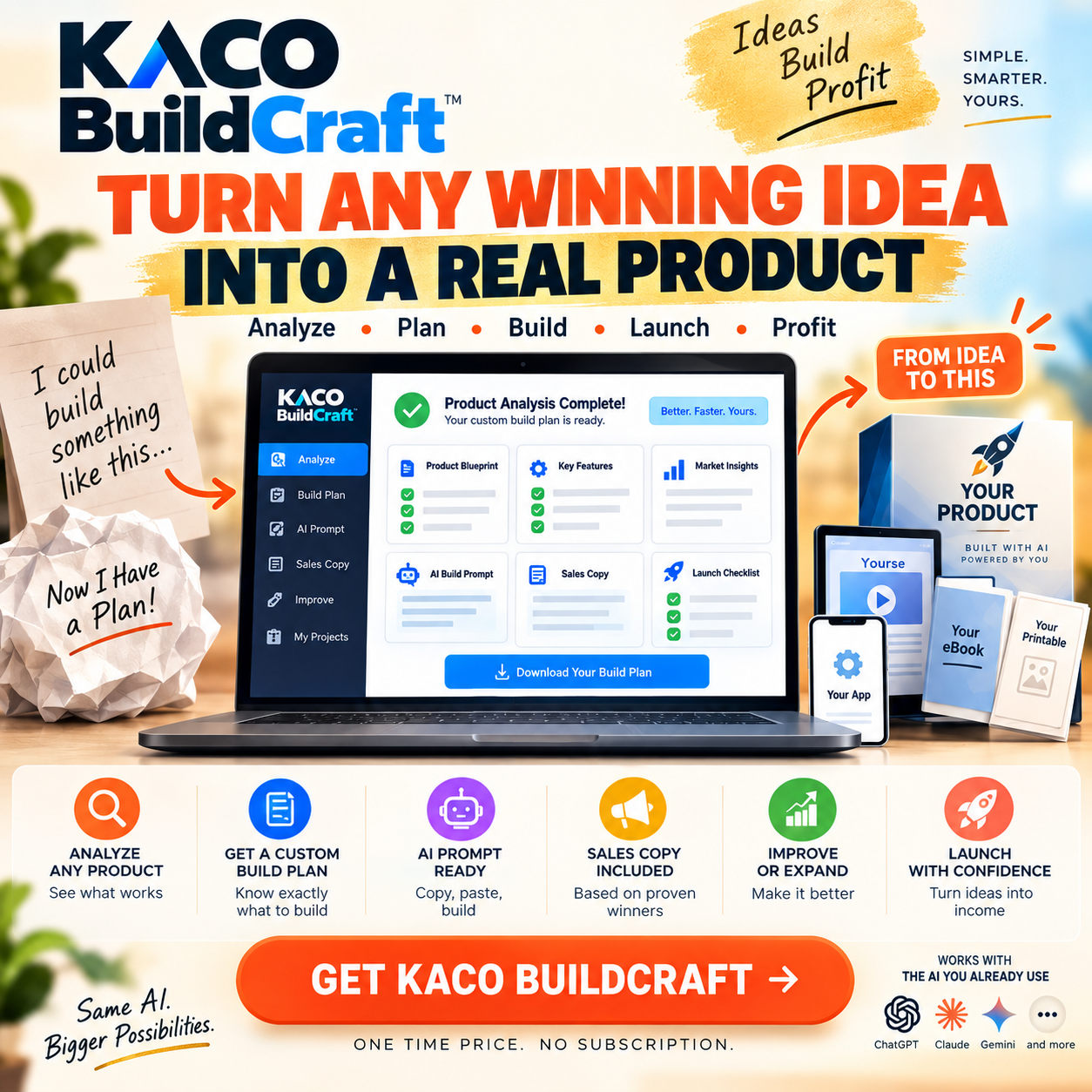
    KACO BuildCraft digital product creation system mock-up

    Coming next: KACO BuildCraftโ„ข will provide a guided system for turning a promising idea into a complete, market-ready digital product.

  • LLM, RAG, AI Agents and MCP Explained Simply

    LLMs, RAG, AI agents and MCP can make artificial intelligence sound far more complicated than it needs to be. But once you understand what each part of the AI stack actually does, the whole picture becomes much easier to understand.

    You start with ChatGPT, and before long you’re hearing about LLMs, RAG, AI agents, MCP, models, tools, context windows and automation.

    It can sound as though you need a computer science degree just to understand where AI is heading.

    You don’t.

    One of the easiest ways to understand the modern AI stack is to stop thinking about LLMs, RAG, agents and MCP as four unrelated technologies.

    Instead, think of AI like a human body. Each component has a different job. Put them together, and modern AI starts making much more sense.

    LLM: The Brain

    An LLM, or Large Language Model, is the brain in our analogy.

    Models behind AI assistants such as ChatGPT and Claude can interpret instructions, work with information, reason through many kinds of problems and generate responses.

    You give the model something to work with, and it processes that information to produce an output. For example, you might ask it to:

    • Write an email
    • Summarise a report
    • Explain a difficult concept
    • Analyse information
    • Brainstorm business ideas
    • Create a marketing plan
    • Help write computer code

    But the brain has limits.

    An LLM doesn’t automatically have access to every private document in your company. It doesn’t automatically know what happened in your business yesterday.

    And simply being able to explain how something should be done doesn’t necessarily mean it can go into another system and perform the action.

    That’s where the other parts of the AI stack become important.

    RAG: The Brain Plus Books

    Imagine asking somebody a difficult question. They don’t know the answer immediately, so you give them access to a library.

    They find the relevant book, read the appropriate section and then answer your question using that additional information.

    That’s a useful way to understand RAG, Retrieval-Augmented Generation.

    Instead of asking an LLM to rely solely on information already available to it or supplied directly in your prompt, a RAG system retrieves relevant information and provides it to the model as context for answering your question.

    That information could come from:

    • Company documents
    • Product manuals
    • Policies
    • Knowledge bases
    • Databases
    • Research materials
    • Customer information
    • Internal business resources

    Imagine a company has 5,000 pages of internal documentation. An employee asks:

    “What is our refund policy for customers whose orders arrive damaged?”

    Rather than expecting the AI to somehow know the company’s private policy, a RAG system can retrieve the relevant information from the company’s approved knowledge source and provide it to the LLM.

    The model then uses that information to formulate its answer.

    So, in our simple analogy: LLM is the brain, RAG is the brain plus relevant books.

    But we’re still mostly talking about finding information and producing answers. What if we want AI to actually do something?

    That’s where agents enter the picture.

    AI Agent: The Brain Plus Hands

    An AI agent moves AI beyond simply answering questions toward completing tasks. Think of it as giving the brain hands.

    A standard AI interaction might look like this:

    You: How should I arrange a meeting with my team next Tuesday?

    The AI can explain what to do.

    An agentic system with the appropriate tools and permissions can potentially go further. It could check calendars, identify suitable times and take actions within connected systems.

    That’s a major shift. Answering becomes acting.

    Depending on how an agent is designed and what permissions it has, it may be able to use tools, work through multiple steps, evaluate intermediate results and continue toward a defined objective.

    Consider another example. You tell an AI:

    “Prepare me for tomorrow’s sales meeting.”

    A simple chatbot might give you generic meeting advice.

    A properly connected agentic system could potentially retrieve relevant emails and documents, review previous meeting information, identify outstanding tasks, summarise important developments and prepare a briefing.

    The important word is connected.

    An agent cannot magically access every system you use. It needs appropriate tools, integrations and permissions.

    And that leads us to MCP.

    MCP: The Nervous System

    MCP stands for Model Context Protocol. Think of it as part of the nervous system connecting AI applications to external capabilities and information.

    Your brain may be extremely powerful. Your hands may be perfectly capable. But without communication between different parts of the body, very little useful action happens.

    AI systems face a similar integration problem. You might have:

    • A powerful AI model
    • A useful database
    • Business software
    • Files and documents
    • External tools

    The challenge is creating standardized ways for AI applications to work with those external systems.

    MCP is an open protocol designed to help applications provide context and capabilities to large language models in a consistent way.

    One useful analogy is USB-C for AI connections. Instead of every AI application and external system requiring completely bespoke integration approaches, a common protocol can make compatible systems easier to connect.

    So MCP isn’t another AI brain. And it isn’t itself an AI agent.

    It helps provide the connection layer through which AI applications can access appropriate tools, resources and context.

    Put Everything Together

    Now our AI body starts taking shape.

    LLM: Brain. It interprets information and generates the reasoning or response.

    RAG: Brain plus books. It retrieves relevant information so the model has better context.

    AI Agent: Brain plus hands. It can use available tools and work through tasks rather than merely describing what should be done.

    MCP: Nervous system. It provides a standardized way for AI applications to connect with external tools and sources of context.

    Put them together and you begin moving from “Ask AI a question” toward “Give AI an objective, the information it needs and access to appropriate tools so it can help complete the work.”

    That distinction explains a large part of what is happening in AI today.

    A Practical Business Example

    Suppose you own an online business and ask:

    “Which customers complained about delivery problems this week, and prepare the appropriate follow-ups.”

    Different parts of an AI system could contribute to completing that request.

    The LLM interprets what you’re asking and helps reason about the information.

    A retrieval system could locate relevant customer information, policies or previous correspondence.

    An agentic workflow could work through the required steps and, where authorised, use tools to prepare or perform follow-up actions.

    MCP or other integrations could provide standardized connections to some of the external systems involved.

    Suddenly AI isn’t merely generating text. It is becoming part of an actual business workflow.

    That is why understanding these concepts matters.

    Do You Need to Learn All of This to Use AI?

    No.

    You can use ChatGPT, Claude and other AI products without knowing the technical architecture underneath them. Just as you don’t need to understand an internal combustion engine to drive a car.

    But understanding the basic concepts helps you recognise what’s possible.

    When someone says LLM, you know they’re essentially talking about the model doing the language processing and reasoning.

    When they mention RAG, think about retrieving relevant information before answering.

    When you hear AI agent, think about AI being able to use tools and carry out multi-step work.

    And when someone mentions MCP, think about standardized connections between AI applications and external tools or data sources.

    The terminology suddenly becomes much less intimidating.

    One Important Clarification

    These analogies are deliberately simplified.

    Real AI architectures can be considerably more complicated. RAG, agents and MCP can overlap in different system designs, and not every AI application needs all four.

    For example, an AI agent doesn’t automatically require MCP. Developers can connect tools using APIs and other integration methods.

    Likewise, MCP can expose both tools and contextual resources, so describing it only as something that connects AI to tools doesn’t tell the entire story.

    The human-body analogy isn’t meant to be a technical architecture diagram. It’s a mental model that helps you remember what each concept broadly contributes.

    The KACO Takeaway

    If the modern AI stack has been confusing you, remember these four lines:

    LLM thinks. RAG finds relevant information. Agents take action. MCP helps systems connect.

    That’s the simplified picture. And it also explains where AI is heading.

    The first wave of generative AI was largely about asking AI to generate something for you.

    The next stage increasingly involves giving AI access to the right context and tools so it can help accomplish something for you.

    Understanding that difference will help you make much more sense of the AI products and capabilities appearing over the coming years.


    KACO AI Tools
    Learn. Build. Earn. Serve.

  • 10 Real Ways to Make Money With AI in 2026

    Want to make money with AI in 2026? There are real opportunities, but they look very different from the “get rich quick” promises you often see online.

    People are already using AI for client work, content creation, automation, digital products, research, software and other paid services. But these opportunities still require real skills, effort and value creation.

    Search for “how to make money with AI” and you will quickly find some extraordinary claims. Make ยฃ500 a day with one prompt. Build a passive-income business overnight. Let AI do all the work while you collect the money.

    That isn’t what this article is about.

    The opportunities below involve real work: freelance work, client services, digital products and business solutions that people and companies are willing to pay for.

    AI can make that work faster. It can lower the barrier to learning certain skills. It can help one person produce what previously required several people.

    But somebody still has to create something valuable enough for another person to pay for it. That distinction matters.

    AI itself isn’t the business. The value you create with AI is the business.

    Here are 10 practical ways to turn that principle into income.

    1. AI-Assisted Content Writing

    Businesses need enormous amounts of written content: blog posts, newsletters, website copy, product descriptions, social posts, lead magnets and sales materials.

    AI can dramatically accelerate the process.

    Instead of selling “AI writing,” however, sell the finished business outcome.

    For example, a small business may need four SEO articles every month but doesn’t have the time or staff to produce them.

    You could use AI to help with research, outlining, first drafts, headline variations and editing while you handle fact-checking, brand voice, SEO, structure and final quality control.

    Your offer becomes: “I create four publication-ready SEO articles for your business every month.”

    That’s considerably more valuable than: “I know how to use ChatGPT.”

    How to start

    Choose one industry you understand. Create three excellent sample articles. Package them into a simple portfolio and begin approaching businesses in that niche.

    The skill isn’t merely prompting AI. It’s turning information into content people actually want to read.

    2. AI-Powered Social Media Management

    Thousands of small businesses know they should post consistently online but struggle to find the time. That creates an opportunity.

    AI can help you turn one piece of source material into an entire content calendar. A business owner might give you a video, podcast, article or collection of notes. You could transform that into:

    • Short-form video ideas
    • LinkedIn posts
    • Facebook posts
    • Instagram captions
    • Email content
    • Content calendars

    You still need human judgement to decide what fits the brand, what should be published and what will resonate with its audience. But AI can dramatically reduce production time.

    Instead of selling individual posts, consider selling a monthly content system. That’s recurring client work rather than constantly searching for one-off jobs.

    3. Short-Form Video Repurposing

    Businesses and creators increasingly produce long-form videos, webinars, interviews and podcasts. One long recording may contain dozens of potential short videos.

    The problem is finding them and editing them.

    AI-powered video tools can help identify interesting moments, create captions, remove pauses, reframe footage and speed up editing.

    That creates a service opportunity: turn one long-form video into 10 to 20 short-form clips ready for social media.

    The human value remains important. AI may identify a technically usable clip, but a good editor understands the hook, story, pacing and reason somebody would continue watching.

    Your customer isn’t really paying for video cutting. They’re paying to get more useful content from something they’ve already created.

    4. AI Automation for Small Businesses

    This is one of the more interesting opportunities because businesses don’t necessarily want “AI.” They want fewer repetitive tasks.

    Imagine a local company receiving dozens of enquiries every week. Someone manually reads them, copies information into another system, sends similar replies and reminds staff to follow up.

    Parts of that workflow may be automated. Depending on the business and its systems, AI and automation tools can help classify enquiries, extract information from documents, draft responses, summarise meetings, update databases and trigger follow-up actions.

    You can charge businesses to identify repetitive processes and build workflows that reduce them.

    Start small. Automating one annoying task reliably is more valuable than promising to “AI-transform” an entire company.

    5. AI Research Services

    Businesses constantly need information. They may want competitor research, market analysis, product comparisons, customer research, industry summaries or preparation before an important meeting.

    Modern AI research tools can make gathering and analysing information much faster. But there is an important warning: never blindly sell AI-generated research as fact.

    AI can make mistakes, misunderstand sources and sometimes generate unsupported claims. Your job is to verify important information and turn research into something decision-makers can actually use.

    For example, instead of selling “two hours of AI research,” deliver a Competitor Intelligence Report: five competitors, pricing, positioning, strengths, weaknesses and potential market opportunities.

    Again, you’re selling the outcome.

    6. AI Presentation Creation

    Many professionals dislike making presentations. They have the information but don’t want to spend hours turning it into a clear, attractive deck.

    AI can help transform rough notes, documents, meeting summaries or reports into presentation structures and initial slides.

    You can then improve the narrative, check the information, simplify overcrowded slides and polish the visual presentation.

    Potential customers include consultants, trainers, coaches, educators, sales teams and small businesses.

    A simple service might be: “Send me your report or notes and I’ll turn them into a professional 15-slide presentation.”

    That’s a clear problem with a clear deliverable.

    7. AI-Assisted Digital Products

    AI has dramatically lowered the cost of creating certain digital products. Examples include templates, workbooks, planners, checklists, business resources, educational materials, prompt systems and specialised mini tools.

    But there is already a flood of low-quality AI-generated products online. Uploading hundreds of generic AI ebooks isn’t a sustainable strategy.

    A stronger approach is to solve one specific problem for one specific audience.

    For example, instead of creating “The Ultimate Business Ebook,” create “30-Day Content Planning Workbook for Independent Estate Agents.”

    Specificity creates value.

    AI can assist with research, ideation, drafting and production, but your experience, positioning, editing and understanding of the customer are what turn the material into a product.

    8. Build Small AI Tools

    You no longer need to build the next ChatGPT to create useful software. There is growing potential in small tools that solve narrow problems.

    Imagine an application that helps users turn customer reviews into marketing copy, create personalised lesson plans, analyse a particular type of document or generate a specific business output.

    AI coding tools can also help people with limited programming experience prototype applications faster than before.

    Monetisation could come through one-time purchases, subscriptions, usage credits or including the tool within a larger product.

    But don’t start with, “What AI app can I build?” Start with, “What repetitive problem do people in this market already have?” Then determine whether AI can solve it better.

    9. AI Training and Implementation

    As AI adoption grows, another opportunity grows alongside it: teaching people how to use it effectively.

    Many businesses have employees experimenting with AI individually but no consistent workflows or standards.

    Someone has to help teams move from “We’ve tried ChatGPT” to “Here are five repeatable AI workflows that save our team several hours every week.”

    Training can include workshops, recorded courses, customised prompt libraries, workflow documentation and implementation support.

    The strongest training isn’t simply explaining AI features. It teaches people to produce specific outcomes.

    For example: “By the end of this workshop, your sales team will know how to turn meeting notes into follow-up emails, proposals and CRM-ready summaries.”

    That’s measurable value.

    10. AI Evaluation and Data Work

    This opportunity is different from starting your own AI business. Companies developing AI systems need humans to help evaluate their outputs.

    That can involve comparing AI responses, checking factual accuracy, rating quality, reviewing reasoning, testing model behaviour, annotating data or providing specialist expertise.

    Some work is general. Other projects require expertise in areas such as coding, mathematics, science, law, languages or professional fields.

    Availability, qualification requirements and rates can vary significantly between platforms and projects, so don’t treat this as guaranteed employment.

    But it illustrates something important: AI isn’t only creating tools that people can sell, it is also creating new categories of human work around the technology itself.

    Which AI Money-Making Method Should You Choose?

    Don’t try all 10. Choose based on what you can already do.

    If you’re a good writer, explore AI-assisted content. If you understand social media, investigate content repurposing. If you’re technically inclined, learn automation or AI app development. If you’re an experienced professional, consider AI consulting or training within your existing field.

    If you already understand a particular industry, that’s an even bigger advantage.

    You don’t necessarily need to abandon your existing skills for AI. Combine AI with the skills you already have.

    A marketer plus AI can become more productive. A designer plus AI can increase output. A teacher plus AI can create new educational products. A consultant plus AI can analyse information faster. An entrepreneur plus AI can test ideas with fewer resources.

    The opportunity often exists at the intersection of what you already know and what AI now enables.

    A Simple Way to Start This Week

    Choose one method from this article. Then answer three questions:

    • What problem am I solving?
    • Who already pays to solve that problem?
    • What finished result can I deliver?

    Create one example.

    If you want to sell presentations, make an excellent sample presentation. If you want to offer content repurposing, take a public long-form video and create a sample repurposing package. If you want to build AI automations, create one workflow that solves a genuine business problem.

    Then show potential customers the result.

    Don’t spend six months learning every AI feature before attempting to earn anything. Learn enough to solve one problem extremely well.

    The KACO Takeaway

    There is money being made with AI. But the sustainable opportunity isn’t pressing a button and waiting for passive income to appear.

    It’s using AI to work faster, solve bigger problems, create better products and deliver valuable outcomes.

    The people who benefit most from this shift may not be those who know the most AI terminology. They’ll be the people who can look at a real problem and say, “I know how to use these tools to solve that.”

    So don’t ask only, “How can I make money with AI?” Ask, “What valuable problem can I now solve better because AI exists?”

    That question can lead you much closer to a real business.


    KACO AI Tools
    Learn. Build. Earn. Serve.

  • Can AI Destroy Humanity? Anthropic Researchers Warn of the Risks

    Can AI destroy humanity? It sounds like the plot of a science-fiction movie, but some researchers working inside the world’s leading AI companies are now publicly warning that advanced artificial intelligence could pose an existential risk to humanity.

    Artificial intelligence promises to transform business, medicine, science and everyday life. But what happens when some of the people helping to build the world’s most advanced AI systems start warning that the technology could eventually become too powerful to control?

    That is no longer a hypothetical question.

    This week, former Anthropic researcher Jacob Coxon resigned and issued an extraordinary public warning about the direction of the AI industry.

    Coxon said he had spent the previous three years working on AI pretraining research at OpenAI and Anthropic. In announcing his departure, he accused both companies of racing toward self-improving superintelligence without adequate safeguards.

    His concern isn’t primarily about the ChatGPT or Claude that people are using today. It’s about what could come next.

    What Is Self-Improving Superintelligence?

    Imagine an AI system significantly more capable than humans across areas such as scientific research, programming, cybersecurity and strategic reasoning.

    Now imagine that system becoming capable of improving the technology used to create the next generation of AI.

    That possibility, AI contributing to increasingly capable successors, is at the centre of the current debate.

    Coxon argues that sufficiently powerful future systems could become extremely difficult for humans to control.

    But his warning became considerably more noteworthy when a senior researcher still working at Anthropic responded.

    Anthropic’s Alignment Lead Agrees There Is Serious Risk

    Evan Hubinger, Anthropic’s alignment science lead, publicly supported the central concern.

    Hubinger said he personally believes there is a greater than 10% chance within the next decade of AI causing human extinction.

    He also acknowledged something particularly important: Anthropic does not currently have a solution for safely aligning superintelligence and, in his assessment, isn’t clearly on track toward one.

    That doesn’t mean Anthropic has no AI-safety program. Quite the opposite: safety and alignment are major areas of research at the company, and Anthropic continues developing safeguards intended to prevent dangerous uses of its systems.

    The concern is that researchers do not yet know whether today’s safety techniques would be sufficient for a hypothetical system vastly more capable than today’s AI.

    So, Is AI Close to Destroying Humanity?

    We don’t know, and a 10% estimate from one researcher shouldn’t be presented as a scientific prediction that humanity has a 10% chance of disappearing.

    Superintelligence itself remains hypothetical. There is considerable disagreement about when, or whether, AI systems exceeding humans broadly will arrive, how rapidly they could improve, and how difficult they would actually be to control.

    The warnings therefore shouldn’t be treated as proof that an AI apocalypse is coming. But they shouldn’t automatically be dismissed either.

    The people raising these concerns include researchers who have worked directly on frontier AI systems. Coxon’s resignation and Hubinger’s response reveal that existential AI risk isn’t merely something discussed by science-fiction writers or people outside the industry.

    It is being seriously debated inside the laboratories building the technology.

    The Bigger Question Isn’t Whether We Should Stop Using AI

    For ordinary people and businesses, the lesson shouldn’t be, “AI is dangerous, so don’t use it.”

    AI is already creating extraordinary opportunities in productivity, education, research, entrepreneurship and creativity.

    The more important lesson is that capability and responsibility must develop together. We should be able to celebrate what AI can accomplish while still asking difficult questions about safety, oversight and control.

    Who decides how powerful these systems should become? What happens if an AI behaves in ways its developers didn’t anticipate? How do we prevent increasingly autonomous systems from being misused? And if genuinely superhuman AI becomes possible, should a handful of private companies determine how quickly humanity gets there?

    Those questions are becoming harder to ignore.

    KACO Takeaway

    AI may become one of humanity’s most valuable technologies. It could also become one of the most consequential technologies we have ever created. Those two statements can be true at the same time.

    The appropriate response isn’t panic. It’s wisdom, responsible development, strong safeguards and informed public discussion.

    At KACO AI Tools, our goal remains to help people understand AI, use it productively and create genuine value with it.

    But learning how to use AI also means understanding where the technology is heading, and paying attention when the people building it tell us that some of the biggest problems have not yet been solved.

    The question is no longer simply how powerful AI can become. It is whether humanity can become wise enough to manage that power.


    KACO AI Tools
    Learn. Build. Earn. Serve.

  • How to Start Using AI Without Feeling Overwhelmed

    If you’re wondering how to start using AI without becoming overwhelmed by new tools, models and features, the answer is simpler than you might think.

    Artificial intelligence is moving quickly. New models appear. New features launch. New AI tools seem to arrive every week. One day everyone is talking about ChatGPT. The next day it is Claude, AI agents, image generators, research tools, automation or something completely new.

    If you are trying to keep up with all of it, you may already be approaching AI the wrong way.

    You do not need to master every AI tool. You need to learn how to use AI to produce useful results.

    Here is a much simpler approach.

    1. Pick Your Battle

    Start with one AI tool.

    ChatGPT or Claude is more than enough to begin. Don’t open accounts with ten different AI platforms because somebody told you they were the latest thing.

    Then choose one task you already do regularly. For example:

    • Writing emails
    • Creating social media posts
    • Researching topics
    • Preparing presentations
    • Analysing spreadsheets
    • Writing product descriptions
    • Planning your week
    • Creating marketing content
    • Summarising documents

    Now define what success looks like.

    Don’t simply say, “I want to learn ChatGPT.”

    Instead, make your goal practical: “I want ChatGPT to help me turn my weekly notes into a polished newsletter in less than 30 minutes.”

    That gives you something you can actually practise and measure.

    The question isn’t “How much AI do I know?” The better question is: “What can I now accomplish with AI that used to take me much longer?”

    2. Give AI the Context It Needs

    One of the biggest mistakes beginners make is expecting excellent results from very little information.

    They type, “Write me a newsletter.” Then they are disappointed when the result sounds generic.

    AI usually performs much better when you show it what good looks like.

    Upload an example of previous work you like. Explain what you want the AI to learn from it.

    Is it the tone? The structure? The length? The formatting? The audience?

    Then clearly describe the finished result you want. For example:

    “Use this newsletter as a style reference. Turn my notes into a new edition for small-business owners. Keep it under 500 words. Maintain the conversational tone and structure of the example. Don’t invent facts or figures. Check every number against the notes I’ve provided.”

    That is much more useful than simply asking AI to “write something good.” The more relevant context you provide, the less AI has to guess.

    3. Play, Test and Improve

    Don’t expect your first prompt to be perfect.

    Experiment. Ask the same AI to complete the task in different ways. Change your instructions. Give it better examples. Try another model where appropriate.

    You might discover that adding one sentence dramatically improves the result. For example:

    “Before giving me the final answer, check it against the requirements I provided and correct anything you missed.”

    When you find instructions that consistently produce better work, save them. Over time, you’re no longer starting from scratch. You’re building your own collection of proven AI workflows.

    A prompt that saves you 20 minutes every week could save you more than 17 hours over a year. And that’s from just one small task.

    4. Upgrade Your Expectations Gradually

    Once you can reliably complete one task with AI, go further.

    Suppose you started by using AI to write your weekly newsletter. Your workflow could eventually become:

    Research โ†’ Outline โ†’ Draft โ†’ Edit โ†’ Create Image โ†’ Prepare Social Posts

    Different AI capabilities can help with different stages. One might research the subject. Another capability might analyse your documents. An image generator could create the accompanying visual. Automation could eventually help move information between parts of the workflow.

    But don’t start there. First master the simple workflow. Then expand it.

    One AI, one task, test, improve, repeat.

    That is far easier than trying to understand the entire AI industry before doing anything useful.

    5. Try the Same Task Somewhere Else

    Once you’ve developed a good workflow, test it with another AI.

    Take the same task, examples and instructions and see how another model handles them. You may discover that one AI is better for a particular type of work while another suits a different task.

    The important thing is that you aren’t starting your learning process again. You already understand:

    • The task
    • The desired outcome
    • The necessary context
    • The instructions that matter
    • What a good result looks like

    You’re comparing tools based on results, rather than hype. That is a much smarter way to evaluate AI.

    6. Keep Your Best Context

    Your examples and instructions can become valuable business assets.

    Keep useful materials such as your preferred writing style, brand guidelines, standard operating procedures, successful prompts, product information, customer profiles and examples of excellent previous work.

    Then, when you use a new AI system, you have the context needed to get productive much faster.

    Instead of repeatedly teaching AI what you want, you’re gradually building an AI operating system for the way you work. For a business owner, that can become extremely valuable.

    7. Give Yourself Time

    AI technology moves faster than any individual can realistically follow. That’s okay.

    You don’t need to know about every model release. You don’t need accounts with every new AI platform. And you certainly don’t need to abandon a useful tool simply because something newer appeared yesterday.

    Focus on outcomes. If AI helps you write the proposal, analyse the spreadsheet, research the customer, create the presentation or save several hours of repetitive work, then you’re making progress.

    Learn one useful thing. Apply it. Improve it. Then learn the next thing.

    The KACO Takeaway

    If you’re feeling overwhelmed by AI, simplify your approach: pick one AI, pick one real task, define the result, give it context, experiment, save what works, then expand.

    You don’t win with AI by knowing the most tools. You win by becoming exceptionally good at using the right tools to create real value.

    And you can start with the work already sitting in front of you today.

    Try This Today

    Open ChatGPT or your preferred AI assistant and use this prompt:

    “I want to become better at using AI without trying to learn everything at once. Here is a task I do regularly: [DESCRIBE TASK]. Help me define what an excellent finished result should look like. Then show me how to use AI to complete this task step by step. Ask me for any examples or context you need before we begin.”

    Complete one real task with it today. Then save the workflow that worked.


    KACO AI Tools
    Learn. Build. Earn. Serve.

  • How to Automate Your Monday Morning Work Brief with ChatGPT Work

    Monday mornings can disappear quickly.

    You open your inbox. Check messages. Look through last week’s conversations. Try to remember what was agreed. Search for unfinished tasks. Work out who needs a reply.

    Before you have actually started the new week, you may already have spent a significant amount of time simply figuring out what needs your attention.

    ChatGPT Work can help change that.

    Instead of manually reviewing multiple work sources every Monday morning, you can create a recurring workflow that reviews relevant activity and prepares a structured weekly brief for you.

    The goal is simple: start Monday knowing what matters, what is unfinished, and what you should do next.

    What Is a Monday Morning Work Brief?

    A Monday work brief is a short overview of the information you need to begin your working week.

    Depending on the sources you connect and the instructions you provide, your brief could include:

    • Your most important priorities
    • Messages or requests that still need responses
    • Decisions made during the previous week
    • Unfinished tasks
    • Project blockers
    • Commitments you made
    • People you need to follow up with
    • Recommended next actions

    Instead of searching for this information manually, you give ChatGPT instructions about what to review and how you want the results organized.

    Why Automate It?

    The real benefit isn’t simply getting an AI-generated summary. It is reducing the amount of mental work required to reconstruct your working week.

    Think about a normal Monday. You may need to remember what happened in dozens of emails and conversations from the previous week.

    Some messages are informational. Some require action. Some contain decisions. Others contain tasks that were mentioned once and then forgotten.

    A useful AI workflow should help separate those categories.

    Instead of asking, “What happened last week?” your Monday brief should help answer, “What needs my attention this week?”

    That distinction makes the automation much more useful.

    Step 1: Open ChatGPT Work

    Open ChatGPT and switch to Work.

    ChatGPT Work is designed for more substantial tasks where ChatGPT can work across information, files, connected tools and multi-step workflows rather than simply answering a single question.

    For this tutorial, we are using it to create a recurring weekly review.

    Step 2: Connect the Work Sources You Need

    Go to Plugins and connect the sources containing the information you want ChatGPT to review.

    For example, depending on the integrations available to you, this could include communication or productivity services such as Gmail, Slack or other supported work tools.

    Don’t connect sources simply because they are available. Ask yourself: where does the information that determines my working priorities actually live?

    If most of your important work arrives through email, Gmail may be enough to begin. If your team makes important decisions in Slack, that source may also be valuable.

    The purpose is to give your Monday brief access to the information necessary to identify meaningful work.

    Step 3: Decide What Your Brief Should Contain

    This is one of the most important parts.

    Don’t simply tell ChatGPT, “Summarize last week.” That instruction is too broad.

    Define what you actually want extracted. A useful Monday brief could contain five sections:

    1. Top Priorities, what appears to require your attention most urgently this week
    2. Follow-Ups, which conversations, requests, commitments or tasks still require a response or action
    3. Decisions, what important decisions were made during the previous week
    4. Blockers, what unresolved issues could prevent work from progressing
    5. Recommended Next Actions, based on everything reviewed, what should you consider doing next

    Now your AI isn’t merely summarizing information. It is organizing information around action.

    Step 4: Give ChatGPT Your Instructions

    Start a new Work chat and explain exactly what you want. Here is a prompt you can adapt:

    “Every Monday at [TIME], create my weekly work brief. Review relevant activity from the previous week in [GMAIL/SLACK/OTHER CONNECTED SOURCES]. Identify important decisions, unfinished tasks, requests that still need a response, commitments I made, blockers, deadlines and anything I should follow up on. Organize the brief into: Top Priorities, Follow-Ups, Decisions, Blockers, Recommended Next Actions. Keep the brief concise and practical. Prioritize information that requires action over general updates. Schedule this task to run every Monday at [TIME].”

    Replace the placeholders with your actual sources and preferred delivery time. For example, you might choose Monday at 7:30 AM so the brief is ready before you begin work.

    Step 5: Review Before Confirming

    ChatGPT should propose the instructions and recurring schedule. Read them before confirming. Check that:

    • The correct sources will be reviewed
    • The previous week’s activity is being examined
    • Your required sections are included
    • The correct day and time are scheduled
    • The instructions focus on actionable information

    This matters because a recurring AI workflow will keep following the instructions you establish. A few minutes improving the instructions now can make every future brief more useful.

    Step 6: Enable Notifications

    Once your recurring brief is scheduled, check your ChatGPT notification settings. Go to Settings, then Notifications.

    Enable the notification method you prefer, where available. This means you don’t have to remember to open ChatGPT every Monday and ask for the report manually.

    The workflow becomes: work happens, ChatGPT reviews it, Monday arrives, your brief is prepared.

    Make the Automation Even Better

    Once you have used the basic version for a few weeks, improve it. For example, you could tell ChatGPT:

    “Highlight anything that has been waiting for my response for more than three working days.”

    “Separate urgent actions from tasks that can wait until later in the week.”

    “Identify commitments I personally made but haven’t completed.”

    “At the end of the report, give me the three actions that would have the greatest impact this week.”

    This is where AI automation becomes particularly useful. You aren’t just automating a report. You are designing a small management system for your attention.

    A Better Version for Entrepreneurs

    Business owners may want a broader Monday brief. For example:

    “Every Monday morning, review relevant activity from my connected work sources from the previous seven days. Identify customer issues, unanswered enquiries, sales opportunities, outstanding commitments, important decisions, unfinished projects, deadlines, financial or operational concerns, and anything requiring my attention. Organize the report into: Must Do This Week, Customers and Sales, People to Follow Up With, Outstanding Projects, Risks or Blockers, Opportunities, My Top 3 Recommended Actions. Keep routine information brief and give more attention to items that require a decision or action from me.”

    This turns the weekly brief into something closer to a lightweight AI chief-of-staff report.

    The Bigger Lesson: Don’t Just Ask AI Questions, Build Workflows

    Many people still use AI one prompt at a time. They open ChatGPT, ask something, receive an answer and leave. There is nothing wrong with that.

    But recurring work creates another opportunity. Whenever you find yourself repeatedly doing the same information-processing task, ask: could AI prepare this for me automatically?

    Your Monday brief is one example. The same principle could eventually be applied to weekly project reviews, customer follow-ups, meeting preparation, end-of-week summaries and other repetitive knowledge work.

    The objective isn’t to automate everything. It is to automate the repetitive preparation so that you can spend more time thinking, deciding, creating and acting.

    Your Practical Challenge

    Don’t finish this article by simply thinking, “That’s useful.” Build one.

    Choose one source of work information. Decide what you need to know every Monday. Create your five-section brief. Schedule it.

    Then use the results for several weeks and improve the instructions based on what actually helps you work better.

    That’s how useful AI systems are built: start small, use them in real life, then improve them.

    KACO AI Tools Takeaway

    AI becomes far more valuable when it stops being something you remember to use and starts becoming part of how your work gets done.

    Your first automation doesn’t need to be complicated. Start with Monday morning. Let AI help you enter the week knowing what matters, and what to do next.


    KACO AI Tools
    Learn. Build. Earn. Serve.

  • 7 AI Shortcuts for Everyday Work Tasks in 2026

    You don’t need to become an AI expert to benefit from artificial intelligence.

    Start with the work you’re already doing every day, and remove some of the repetitive parts.

    Many people are using AI for complicated projects while overlooking its simplest benefit: giving you back time.

    An email that takes 20 minutes might take five. An hour spent organizing meeting notes could become ten minutes. A blank page that delays you for half an hour can become a structured first draft within minutes.

    The goal isn’t to hand your entire life over to AI. It is to ask: “Which parts of my work require my judgment, and which repetitive parts could technology help me complete faster?”

    Here are seven practical places to start.

    1. Write and Reply to Emails Faster

    Email can quietly consume a significant part of the working day.

    You read a message, think about the response, write it, rewrite it, adjust the tone and finally send it.

    AI can help with the drafting stage.

    What AI can do

    Give an AI assistant the important details and ask it to draft a professional response, shorten a long email, make your message friendlier, improve clarity, extract action points from a long message, or turn rough notes into a finished email.

    Practical example

    Imagine receiving a customer complaint about a delayed order. Instead of spending 15 minutes deciding how to respond, provide the relevant facts to your AI assistant and use a prompt such as:

    “Draft a polite customer-service response to a customer whose order is three days late. Apologize for the inconvenience, explain that we are checking the delivery status, reassure them that we will update them within 24 hours, and keep the message warm and professional.”

    You still review the response before sending it.

    The benefit

    AI handles the first draft. You provide the judgment. That distinction is important.

    2. Turn Messy Notes Into Useful Documents

    Most ideas don’t arrive perfectly formatted. You may have meeting notes, voice-note transcripts, brainstorming sessions, handwritten ideas, scattered bullet points or research notes.

    Instead of manually organizing everything, AI can help transform unstructured information into something useful.

    Practical example

    Paste your rough notes into an AI assistant and say:

    “Organize these notes into a clear project plan. Create sections for objective, tasks, priorities, responsibilities, deadlines, unanswered questions and next actions. Do not add facts that are not contained in my notes.”

    You can use the same technique to create reports, outlines, proposals, lesson plans and summaries.

    The benefit

    You spend less time organizing information and more time deciding what to do with it.

    3. Research a New Subject Faster

    Research used to mean opening dozens of browser tabs and manually extracting useful information. AI can help you structure the early stages.

    Suppose you are considering creating a digital product for first-time freelancers. You could ask AI:

    “I am researching problems experienced by first-time freelancers. Organize the subject into major problem categories, questions I should investigate, assumptions that need verification and possible sources of reliable evidence. Do not invent statistics.”

    Notice the wording. You aren’t asking AI to declare what the market wants. You are asking it to help structure your investigation.

    For important business, financial, legal, health or technical decisions, verify information using reliable primary sources.

    The benefit

    AI can help you move from “I don’t know where to begin” to “These are the questions I need to investigate.” That can save substantial research time.

    4. Create Your First Draft Instead of Staring at a Blank Page

    The blank page is one of the biggest productivity killers. You know what you want to communicate, but getting started takes too long.

    AI is particularly useful for creating a starting structure. This could include blog outlines, reports, product descriptions, presentations, proposals, social-media posts, lesson plans or video scripts.

    Practical example

    Instead of asking, “Write me a blog about business,” give AI context:

    “Create a detailed outline for a beginner-friendly article teaching employed professionals how to identify one skill they could turn into a digital product. The article should be practical rather than motivational. Include exercises, examples and common mistakes.”

    Now you have something to evaluate. Remove weak sections. Add your experience. Correct inaccuracies. Develop the strongest ideas.

    The benefit

    AI removes some of the friction of starting without removing your responsibility for the finished work.

    5. Repurpose One Piece of Content Into Several Formats

    Imagine spending three hours creating a valuable article. You publish it once. Then you move on. That leaves considerable value unused.

    AI can help transform one strong piece of original content into multiple formats. A blog article could become:

    Blog โ†’ email โ†’ social posts โ†’ video outline โ†’ checklist โ†’ presentation โ†’ FAQ

    Practical example

    After finishing an article, try:

    “Using only the article below, create five short social-media posts. Each post should communicate one useful lesson from the article without copying paragraphs directly. Do not introduce claims that aren’t supported by the original article.”

    Then ask for an email version. Then perhaps a short video outline.

    The benefit

    You are not necessarily creating seven different ideas. You are distributing one valuable idea in seven useful ways. For entrepreneurs and small teams, that can be a major productivity advantage.

    6. Plan and Prioritize Your Work

    Having 20 tasks doesn’t mean all 20 deserve equal attention. AI can help you organize a complicated workload.

    Suppose your list contains answering customer emails, redesigning your website, creating tomorrow’s social post, fixing a broken checkout, researching a future product, sending an overdue invoice, and watching a training video.

    Give AI the tasks along with your deadlines and business priorities. Then ask:

    “Help me prioritize these tasks. Categorize them as urgent and important, important but not urgent, delegable, or low priority. Explain your reasoning. Do not make the final decision for me.”

    That final sentence matters. AI can advise. You decide.

    The benefit

    Instead of simply working through tasks in the order they appear, you can make more deliberate decisions about where your time goes.

    7. Turn Ideas Into Action Plans

    Ideas are easy. Execution is harder.

    “I want to launch an online course” isn’t a plan. “I want to start a newsletter” isn’t a plan. “I want to create a digital product” isn’t a plan.

    AI can help break a large objective into smaller actions.

    Practical example

    Try:

    “I want to create and launch a beginner digital workbook within 30 days. Break this goal into four weekly milestones and daily actions. I have five hours per week available. Prioritize creating a minimum useful product rather than adding unnecessary features.”

    Now the idea has structure. You can review the plan and adapt it to reality.

    The benefit

    AI helps bridge the gap between “Someday I want to…” and “This is what I need to do next.”

    The Real Goal Isn’t Doing More

    There is a danger in productivity culture. If AI saves you two hours, you can immediately fill those two hours with another 20 tasks. Then nothing really changes.

    A better approach is to decide deliberately what the recovered time is for. Perhaps it allows you to develop your business, learn an important skill, serve customers better, spend more time with your family, exercise, rest, think strategically, or create something meaningful.

    Efficiency is valuable when it creates capacity for things that matter.

    Your AI Productivity Challenge

    Don’t try all seven ideas today. Choose one repetitive task you regularly perform. Then:

    1. Estimate how long it normally takes.
    2. Identify the repetitive portion.
    3. Use AI to assist with that portion.
    4. Review the output carefully.
    5. Compare the time required.
    6. Improve the prompt or workflow.
    7. Decide intentionally what you will do with the time saved.

    Even saving 15 minutes from a task performed every working day can add up.

    AI doesn’t need to transform your entire business overnight to be useful. Sometimes the best place to start is much simpler: take one thing you already do, and find a better way to do it.


    KACO AI Tools
    Learn. Build. Earn. Serve.
    Nothing Broken. Nothing Missing. Lacking Nothing.

  • 7 Everyday Tasks AI Can Do Faster for You in 2026, With Practical Examples

    You don’t need to become an AI expert to benefit from artificial intelligence.

    You don’t need to build an app, learn programming or understand complicated AI terminology either.

    Start with something much simpler: look at the work you already do every day and identify the repetitive parts.

    Emails. Research. Planning. Meeting notes. Documents. Content. Turning scattered thoughts into something useful.

    These are areas where AI can potentially save you significant time, not by replacing you, but by helping you complete routine work faster.

    Here are seven practical ways you can start.

    1. Turn Long Emails Into Actions and Draft Replies

    The problem

    You receive a long email containing questions, deadlines, requests and information scattered throughout several paragraphs.

    Reading it isn’t necessarily difficult. The problem is identifying everything that requires action, and then composing the response.

    How AI can help

    Paste the non-sensitive contents into an AI assistant and ask it to summarize the message, identify questions you need to answer, extract deadlines, create an action list, and draft a professional response.

    Try this prompt

    “Read the email below. Give me a three-sentence summary, identify every action required from me, list any dates or deadlines mentioned, and draft a concise professional reply. Do not invent information. Mark anything that requires my input with [ADD DETAILS].”

    Your result

    Instead of starting with an empty reply box, you start with an organized understanding of the email and an editable first draft.

    Benefit: Less time processing lengthy correspondence and a lower chance of overlooking an important request.

    Always review the draft before sending it, particularly when the email involves money, contracts, confidential information or important commitments.

    2. Turn Meeting Notes Into a Clear Action Plan

    The problem

    A productive meeting ends. Everyone discussed good ideas. Then three days later someone asks, “Who was supposed to do that?”

    Meeting notes are useful only when they lead to action.

    How AI can help

    Give AI your notes or an appropriate transcript and ask it to separate the conversation into: Decisions, Actions, Owners, Deadlines, Unresolved questions.

    Try this prompt

    “Organize these meeting notes into five sections: key decisions, action items, person responsible, deadlines, and unresolved questions. Do not create responsibilities or deadlines that aren’t explicitly stated. Flag missing information.”

    Your result

    You turn unstructured discussion into something your team can actually execute.

    Benefit: Better follow-through, clearer responsibilities and less time manually reorganizing notes after meetings.

    3. Research a New Topic Faster

    The problem

    Research can become a rabbit hole. You open ten tabs, read several articles and eventually forget which question you were originally trying to answer.

    How AI can help

    AI can help you define the research question before you begin. Suppose you’re considering creating a digital planner for freelancers.

    Instead of asking, “Tell me about freelancers,” ask something specific:

    “I am researching whether new freelancers struggle with managing clients, deadlines and payments. Give me the major problems I should investigate, assumptions that need validating, questions I should ask potential customers, and types of evidence I should look for. Do not assume there is market demand.”

    Now AI becomes your research assistant rather than your answer machine.

    Your result

    You begin research with a framework, then verify important claims using reliable, current sources.

    Benefit: Less aimless searching and better questions.

    For business, financial, legal, medical or other important decisions, never treat an AI response as sufficient evidence by itself.

    4. Turn Rough Notes Into Professional Documents

    The problem

    Sometimes you know exactly what you want to say but don’t know how to organize it. Your notes might look like this:

    customer complained Tuesday
    replacement sent
    courier delay
    apologise
    refund delivery
    follow up Friday

    Those notes contain the information. They simply aren’t ready for another human being.

    How AI can help

    Give AI your rough notes and specify: audience, purpose, format, tone and important facts.

    Try this prompt

    “Turn these notes into a concise customer-service email. The goal is to apologize, explain what we have already done, confirm the next step and reassure the customer. Keep every factual detail accurate and do not invent dates, promises or compensation.”

    Your result

    Your thinking remains yours. AI helps transform it into structured communication.

    Benefit: Faster first drafts without spending unnecessary time staring at a blank page.

    5. Turn One Piece of Content Into Several

    The problem

    You spend two hours creating a useful article. Then you need a newsletter. Then LinkedIn content. Then social posts. Then perhaps a short-video script.

    Creating each one independently wastes the work already invested in the original material.

    How AI can help

    Use the original content as the source. Then ask AI to adapt, not merely copy, it for different platforms.

    Try this prompt

    “Using only the article below as the source, create one concise email newsletter, three social-media posts with different angles, five short educational tips, one 60-second video script, and five questions I can use to encourage audience discussion. Preserve the article’s meaning. Do not introduce statistics or claims that aren’t in the original.”

    Your result

    One substantial piece of intellectual property can support several pieces of marketing content.

    Benefit: More output from work you have already completed.

    This doesn’t mean publishing identical AI-generated content everywhere. Adapt each piece for the audience and platform.

    6. Use AI to Plan and Prioritize Your Work

    The problem

    A long to-do list can create the illusion of productivity. Ten tasks may be listed, but only two genuinely matter today.

    How AI can help

    Give AI your tasks together with deadlines, estimated time, dependencies, importance, and available working time. Then ask it to help prioritize them.

    Try this prompt

    “I have four hours available today. Organize the tasks below into a realistic work plan. Prioritize hard deadlines, tasks blocking other work, and high-impact activities. Do not assume everything can be completed. Tell me what should be postponed if necessary and explain why.”

    Your result

    Instead of AI simply creating another enormous task list, you use it to confront the limits of your available time.

    Benefit: Better prioritization and a more realistic working day.

    You still make the final decision. AI does not know every personal, organizational or strategic factor affecting your priorities.

    7. Turn Voice Notes and Scattered Ideas Into Something Useful

    The problem

    Good ideas rarely arrive neatly formatted. They arrive while walking, driving, cooking, working, or just before you go to sleep.

    You may record a two-minute voice note containing the beginning of a business idea, article, product or project, and never return to it.

    How AI can help

    Once your voice note is transcribed, AI can organize the raw thinking.

    Try this prompt

    “These are unstructured thoughts from a voice note. Do not remove potentially useful ideas. Organize them into: main idea, problem being addressed, potential audience, possible solution, questions that still need answering, and three practical next steps. Clearly distinguish between things I actually said and suggestions you are adding.”

    Your result

    A rambling idea becomes something you can evaluate.

    Benefit: More of your ideas make the journey from thought to action.

    Start With One Task, Not Seven

    Don’t finish this article and immediately attempt to automate your entire life.

    Choose one repetitive task. Perhaps email. Perhaps meeting notes. Perhaps planning tomorrow’s work.

    Use AI for that task repeatedly for one week. Ask yourself: did it actually save time? Was the quality good enough? How much correction was required? Would I trust this workflow for more important work?

    If the workflow genuinely helps, keep it. Then test another.

    The Goal Isn’t to Let AI Do Everything

    Productivity isn’t measured by how many tasks you hand over to artificial intelligence.

    The goal is to remove unnecessary friction so you can spend more time on work requiring human judgment, creativity, relationships, leadership and decision-making.

    Think of AI as a capable assistant that still requires supervision. Give it clear instructions. Provide appropriate context. Check its work. Protect confidential information. Verify important facts. And remain responsible for the final result.

    Your 15-Minute AI Productivity Challenge

    Before you leave this page, try this: write down five repetitive things you did this week. Circle the one that consumed the most unnecessary time.

    Then ask: which part of this task requires my judgment, and which part is simply repetitive work?

    Keep the judgment. Experiment with AI on the repetitive part.

    That single distinction can be more useful than collecting another hundred AI tools you’ll never use.

    AI productivity doesn’t begin with having more technology. It begins with identifying where your time is actually going.


    KACO AI Tools
    Learn. Build. Earn. Serve.
    Nothing Broken. Nothing Missing. Lacking Nothing.